Turn the data you already enter into the outputs your school needs.
We work from the exports your school system already produces — and turn them into the day your school actually runs: attendance, cover, admissions, reports to families, and the returns your ministry asks for.
Built inside a Muscat international school · KG–G12 · Cambridge & Omani Diploma
The bar just moved. By law.
Royal Decree 31/2023
97 articles that raise the bar for every private school.
Fee approval
Tuition changes need ministry sign-off.
Classification
Your reporting quality is now visible to the ministry.
KHDA — Dubai
Inspection and reporting cycles for private schools.
ADEK — Abu Dhabi
Reporting and compliance requirements.
Ministry of Education
Reporting under the Human Capability Development Programme.
of a teacher’s week is actually spent teaching.
Your administrators lose about 20 hours a week to compliance alone.
We sit on top of what you already run.
Tap a layer to see what it means.
Nothing moves. Nothing switches off.
Your SIS, your spreadsheets, your timetabling software and your finance system all stay exactly where they are.
- You send the exports you already produce
- We do the mapping — not your IT team
- No migration, no new logins for staff
One spine across the whole school.
Manhaji reads what your staff already record and holds it in one place — admin, classroom and reporting, joined up for the first time.
- Attendance, roster, timetable and concerns in one view
- We never write back into your systems, in either direction
- Strictly downstream of you
The things you currently make by hand.
Ministry returns, parent updates and early warnings — generated from data that was already sitting in your school.
- The Oman MoE return, from live figures
- Parent reports, gated behind a teacher’s approval
- Attendance and concerns, visible every morning
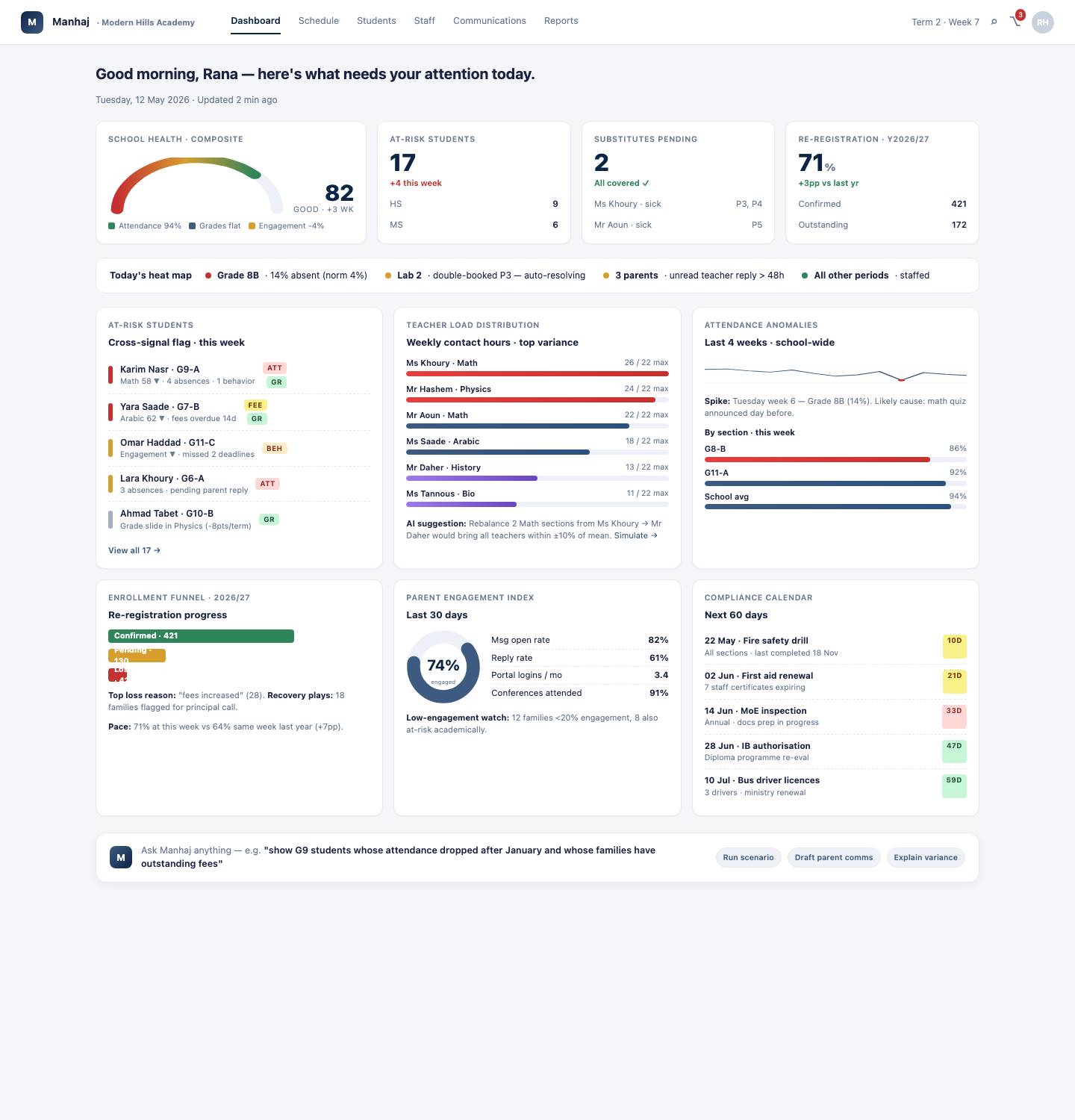
The health of your school, every morning.
Attendance week-on-week, your weakest section, chronic absentees and faculty load — on one screen, before your first meeting.
- Attendance across every section, as the registers come in
- Every teacher’s real load, and who is over capacity
- Admissions and re-enrolment, end to end
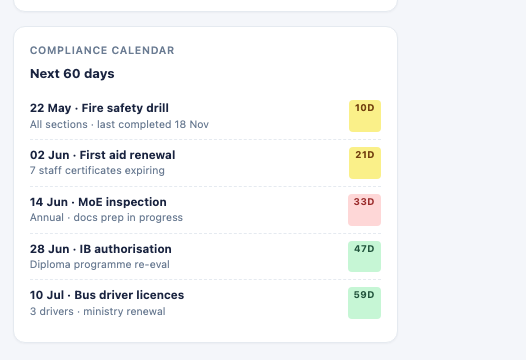
- What the ministry is expecting, and when
Your evenings back, in one click.
Generated from your own records — and every figure traces back to where it came from, so you can defend any number in an inspection.
Nothing is submitted automatically.
Manhaji assembles the return. Your registrar reviews it and files it — the school’s name stays on the submission, and so does the school’s judgement.
Nothing gets lost again.
Every concern your staff raise lands in one place, with an owner and a status — while you can still act on it.
Illustrative. Tap a row.
Retain one family, and it pays for the year.
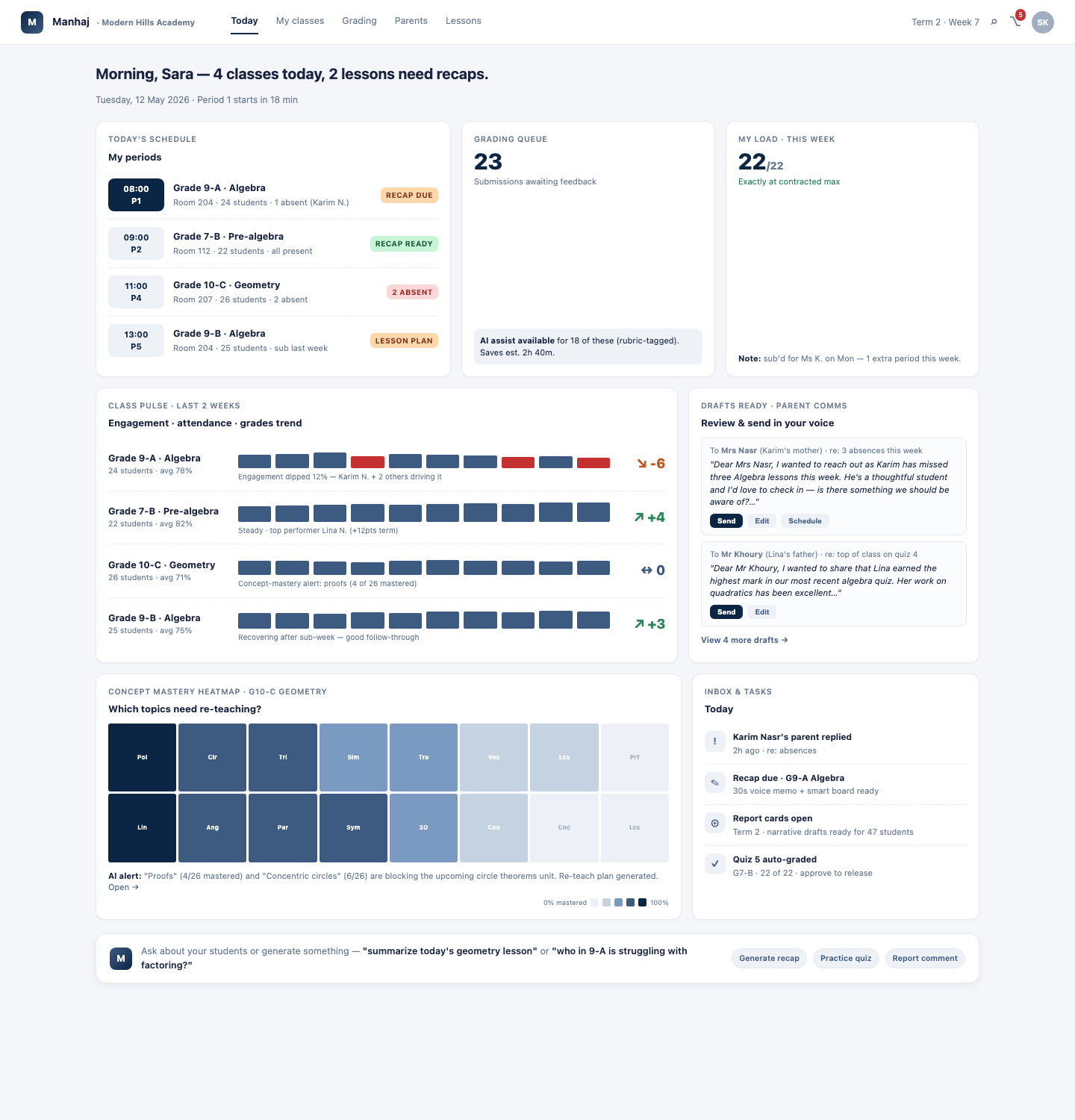
When a teacher calls in sick.
Report it, the office approves, cover is assigned — and the substitute walks in holding a handover sheet drafted from the absent teacher’s own lesson records, with the source text shown beside it so it can be checked.
- Absence → approve → assign cover, end to end
- A handover sheet your substitute acknowledges before class
- Attendance in one tap, from a phone, between lessons
- Marks and behaviour notes recorded once, where you already are
If you teach, here’s the deal.
- You never type anything twice.
- Nothing goes to a parent without your sign-off.
- We don’t rate teachers. Ever.
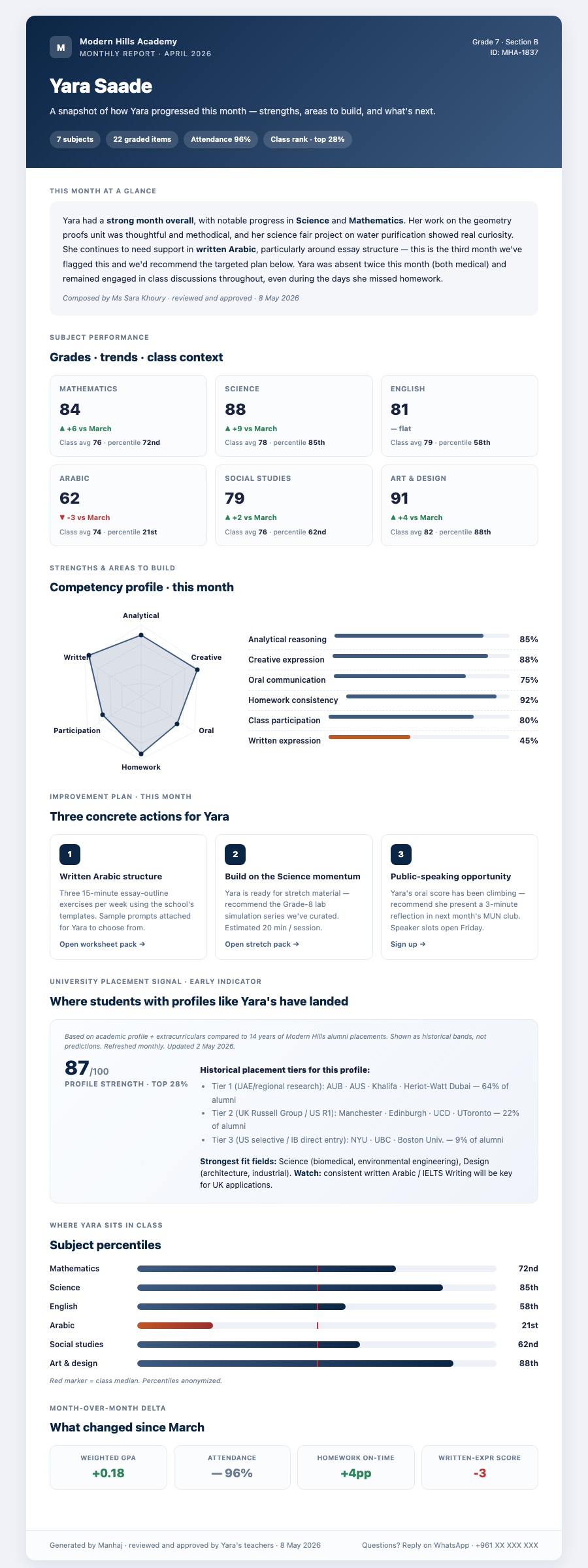
One clear report. Approved by a teacher.
Attendance, subject trends and a competency profile — assembled from the term’s real work, and released by the teacher who knows the child.
- Assembled from the term’s real work
- A teacher approves — edits, or holds it back
- Sent, and never before step 2
Nothing reaches a parent until a teacher has approved it.
In the family’s own language
Reports go out in English or Arabic — and a teacher reads the Arabic before any parent does, exactly as they read the English.
The same rule will apply to Arabic reports: a teacher reads the Arabic before any parent does.
Where they are, and where it leads.
A pupil opens their own view: today’s schedule, what’s due, and — once marking exists — how they’re growing over time.
- Their timetable, and what’s on next
- Homework, and what’s still outstanding
- How they’re growing across the year, subject by subject
Numbers a pupil can trust
Every figure a student sees about themselves traces back to a real record — their own attendance, their own marks. Nothing is estimated on their behalf.
Click through it yourself.
Two minutes through the real product, on a fictional school. Access is by code — we set each one up by hand, so requests take 24–48 hours.
- The principal’s morning screen
- A teacher takes attendance — and the office sees it
- The ministry return, generating
Keep your system. We’re strictly downstream.
We never write anything back into your systems — in either direction.
You send the exports you already produce. We do the mapping, and the setup.
- Hosted in Mumbai, India.
- Role-based access — teachers see their classes, parents their own children.
- Never used to train AI models.
- Every AI output is reviewed by a person before it leaves the school.
For your IT director
What we write back: nothing, ever.
Encryption at rest and in transit · who can see school data · retention and deletion · sub-processors · breach notification · export on request.
We’re early-stage and don’t yet hold formal certifications. We’ll answer any question your IT team has.
Built inside a real school.
One school today — the one we’re building it with. We’d rather say that than pad a logo wall.
A paid, 30-day instrumented pilot.
- Baseline — what reporting costs you today
- Go live — 30 days on your real data
- Decide — on the evidence
What you’d be agreeing to
One term. No multi-year lock-in. Nothing to unwind — because nothing was migrated.
The questions we actually get.
Do we have to replace our current system?
How much does it cost?
How many schools use Manhaji?
Who is accountable if a return is wrong?
How do you know the numbers are right?
Isn’t this just the AI our SIS already has?
You’re early-stage. What if you fail?
Twenty minutes, and you’ll know.
No slides. We’ll look at your reporting calendar and tell you honestly whether we’re a fit yet.
No access code? Request access — four questions, and we’ll email you a code within 24–48 hours.